
Enable email notifications on the NAS
Enable email notifications for backup tasks in Synology DSM on each NAS.
Your Synology NAS already sends status emails for backup tasks. BackupMonitor turns them into one dashboard across all devices and customers.
Every Synology NAS reports on its own: a backup task email here, a replication email there. An MSP looking after many NAS devices at many customers receives a daily flood of similar-looking DSM emails - and the inbox never tells you whether a specific device reported at all today.
BackupMonitor collects all Synology status emails centrally, assigns them to devices automatically, and raises an alert when a device stops reporting.
Enable email notifications for backup tasks in Synology DSM on each NAS.
Use your personal BackupMonitor address as the recipient, or forward the emails with a mail rule. Nothing is installed on the NAS.
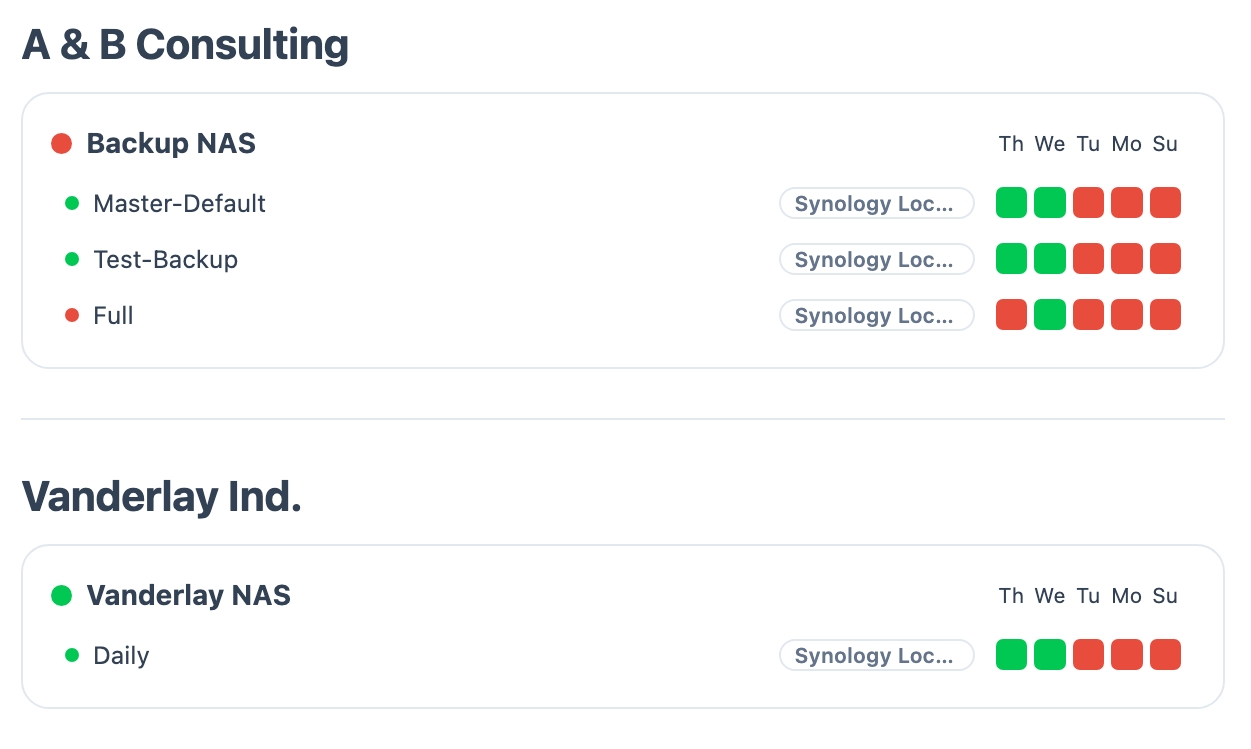
Each NAS shows up as a device automatically. If a device stops reporting, BackupMonitor flags it as an error.
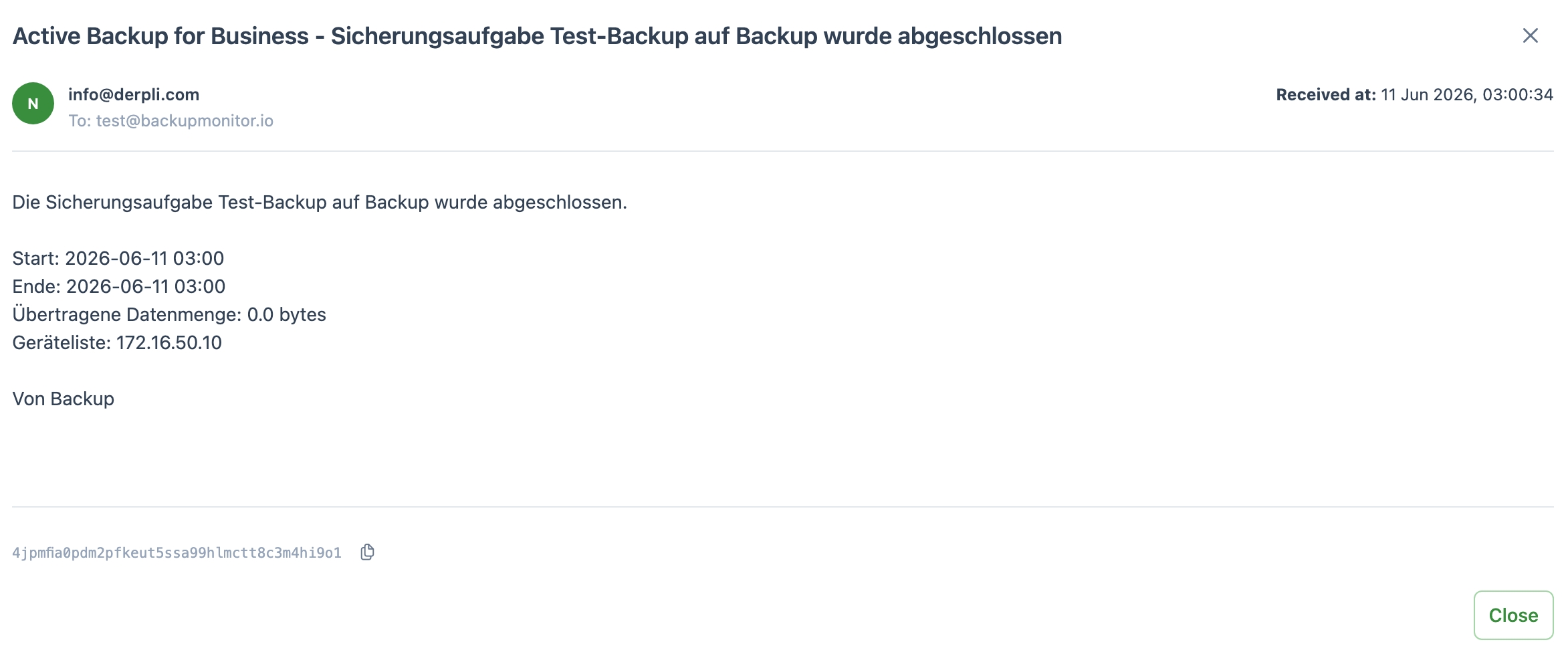
BackupMonitor ships with parsers for the status emails of these Synology backup features:
Status emails from local backup tasks, Active Backup for Microsoft 365, Snapshot Replication and Amazon S3 backups. If your NAS sends a format we do not recognize yet, contact us - we add parsers regularly.
No. BackupMonitor only reads the notification emails DSM already sends. No package, no agent, no remote access to the NAS.
Missing expected emails are treated as errors. A NAS that silently disappears shows up as a problem on the dashboard instead of going unnoticed.
Each NAS appears as its own device and can be organized into groups per customer or site. Weekly summaries and service desk alerts keep you informed without opening the inbox.
No credit card, nothing to install - the demo ends automatically.