
Enable Veeam report emails
Enable email notifications for job results in Veeam Backup & Replication - globally or per job.
Veeam Backup & Replication already emails a report for every job. BackupMonitor turns that stream of emails into one clear dashboard.
With a handful of servers, Veeam report emails are easy to keep up with. Across many customers, VBR servers and jobs, dozens of near-identical emails arrive every day: failed jobs drown in the noise, and when a server silently stops sending reports, nobody notices until restore day.
BackupMonitor collects all Veeam report emails in one mailbox, detects server, job and status automatically, and treats a missing expected report as an error.
Enable email notifications for job results in Veeam Backup & Replication - globally or per job.
Add your personal BackupMonitor address as a recipient, or forward the reports with a mail rule. No agents, no configuration.
BackupMonitor detects server, job and status from each report. If an expected report does not arrive, it is flagged as an error.
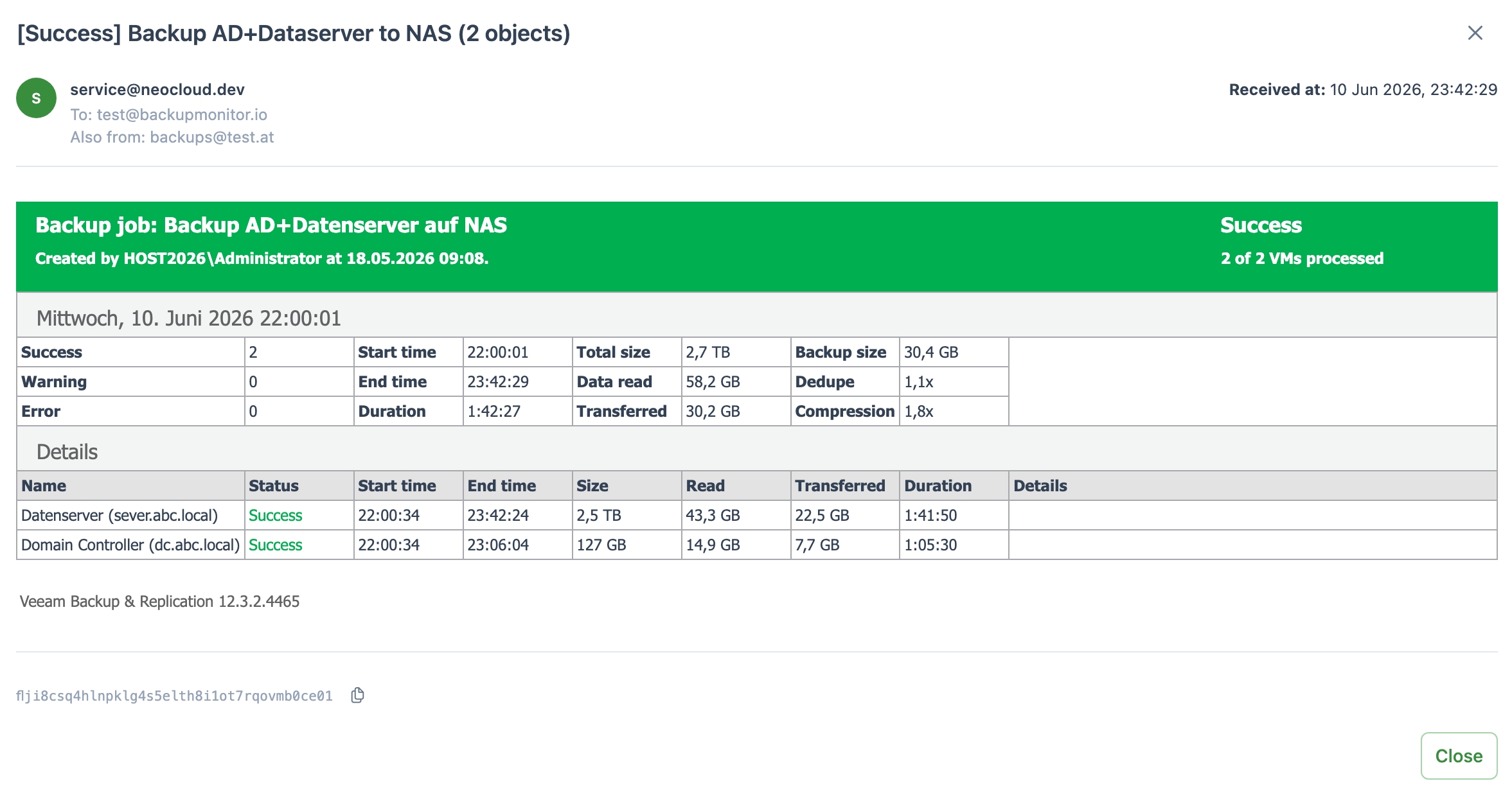
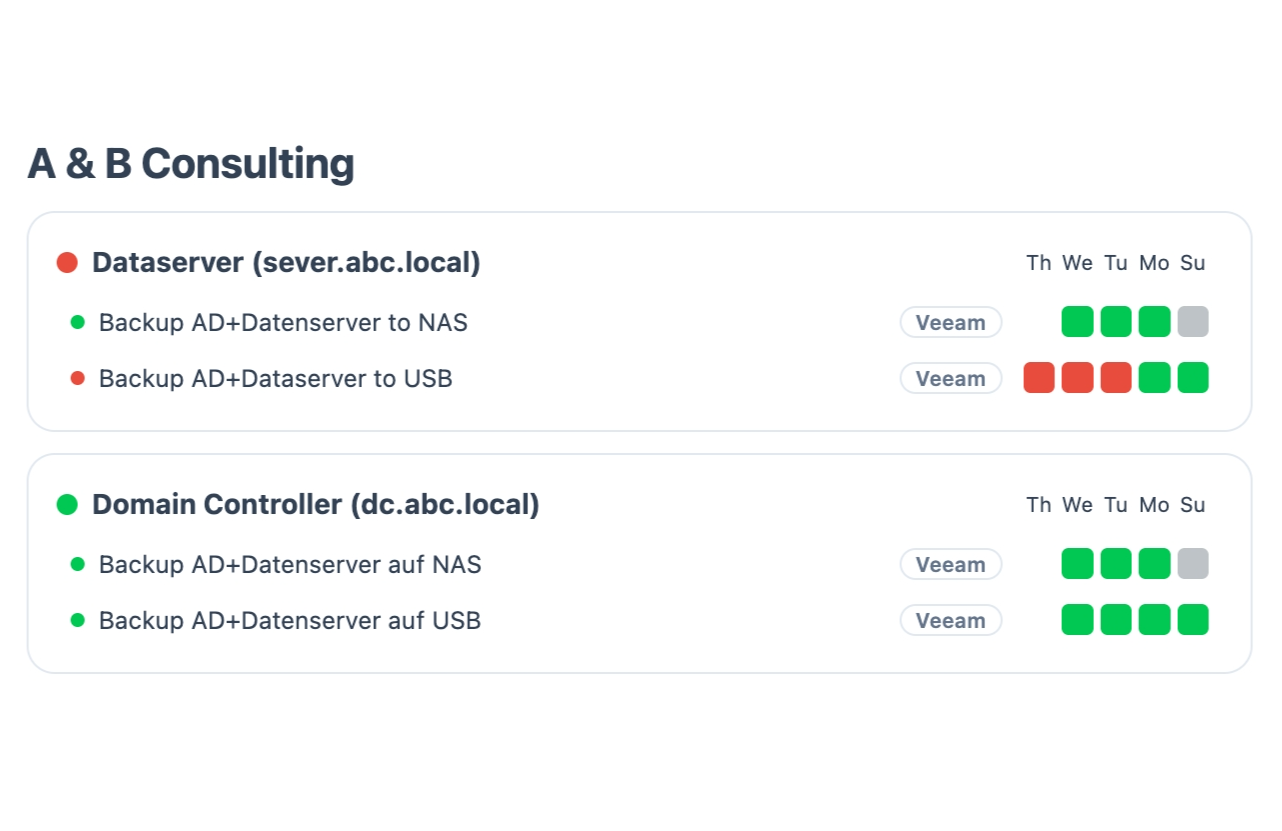
BackupMonitor ships with parsers for the standard report emails of these Veeam products:
Job reports from Veeam Backup & Replication as well as emails from Veeam Microsoft 365 Backup, Configuration Backup, SureBackup, Scale-Out Repository and log backups. Standard report emails are recognized without any template changes.
No. BackupMonitor only reads the report emails Veeam already sends. There are no agents and no access to your infrastructure.
If an expected report email does not arrive - for example because the server is offline - BackupMonitor flags the job as an error on the dashboard instead of staying silently green.
Yes. All reports arrive in one mailbox, and devices can be organized into groups per customer or site. BackupMonitor is built for MSPs managing many environments.
No credit card, nothing to install - the demo ends automatically.